

This post contains affiliate links. If you buy through one of these links, we may earn a commission at no extra cost to you. As an Amazon Associate I earn from qualifying purchases.
Working from a van sounds pretty good until your battery hits 12% and you still have three hours of meetings.
Starlink Mini solves one part of the remote-work puzzle: getting online when your phone has no useful signal. But keeping that connection running, charging your laptop, and making it through the afternoon takes a little planning.
The good news is that you don’t need a huge power station just to answer emails and take video calls. The bad news is that a small battery advertised as “perfect for Starlink” might be sized for the dish alone. Your laptop needs a seat at that table, too.
For an eight-hour day with Starlink Mini and a typical work laptop, I’d start shopping around the 1,000Wh mark. That gives you some breathing room without jumping straight to a large, expensive battery.
There are exceptions. A lightweight laptop doing basic work can get by with less. A powerful machine editing video, running an external monitor, and charging camera batteries may need considerably more. Let’s work out where you fit, then compare three power stations that make sense for different setups.
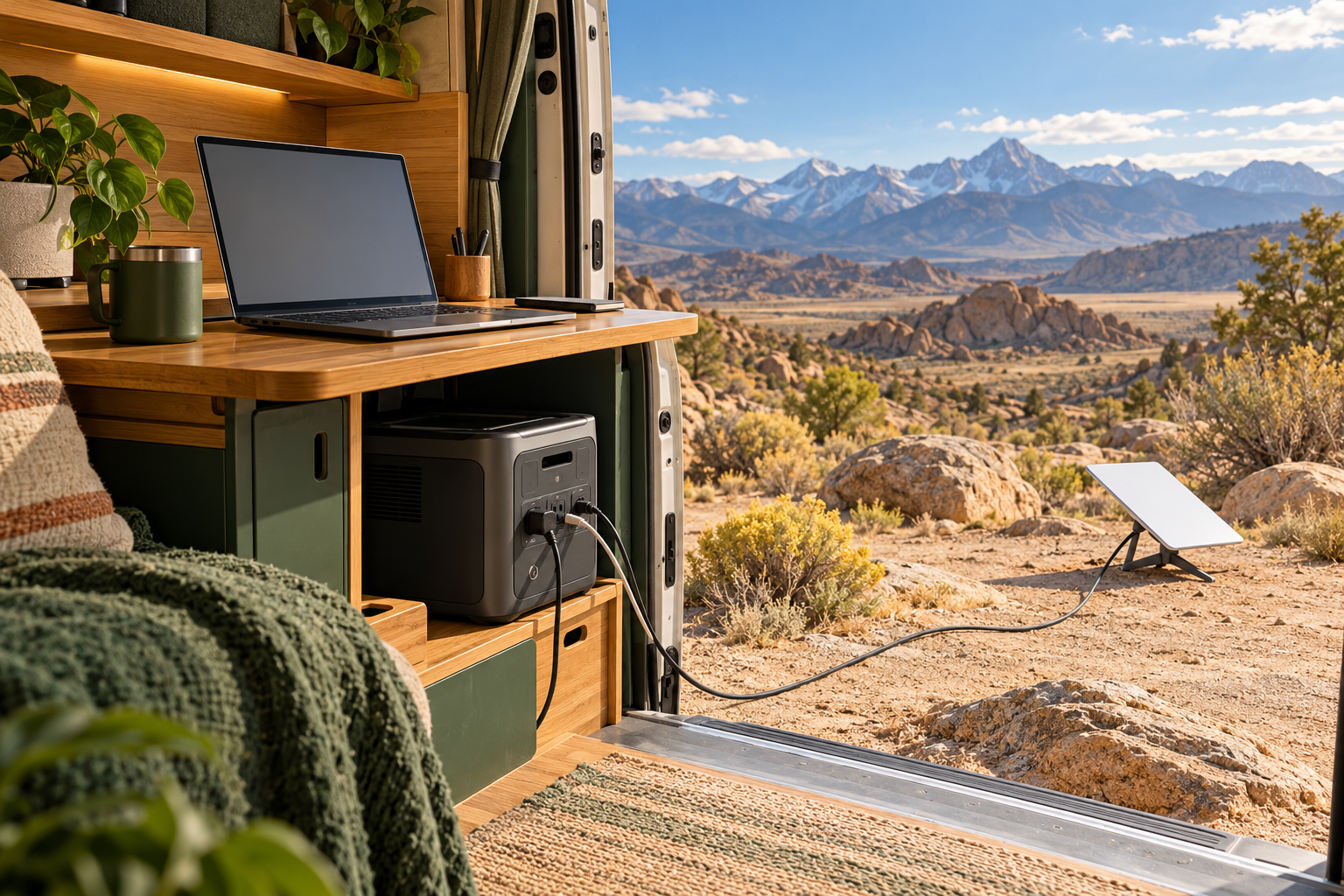
How this guide was put together: recommendations use manufacturer specifications and calculated energy budgets. Runtime figures are estimates, not hands-on test results. The featured image is generated artwork illustrating an off-grid workspace.
The short answer: start with a 1kWh power station
Look for roughly 1,000Wh of battery capacity and a charging arrangement that works for both Starlink Mini and your laptop. These are the three options I’d compare first:
Best for two USB-C devices
DJI Power 1000 V2
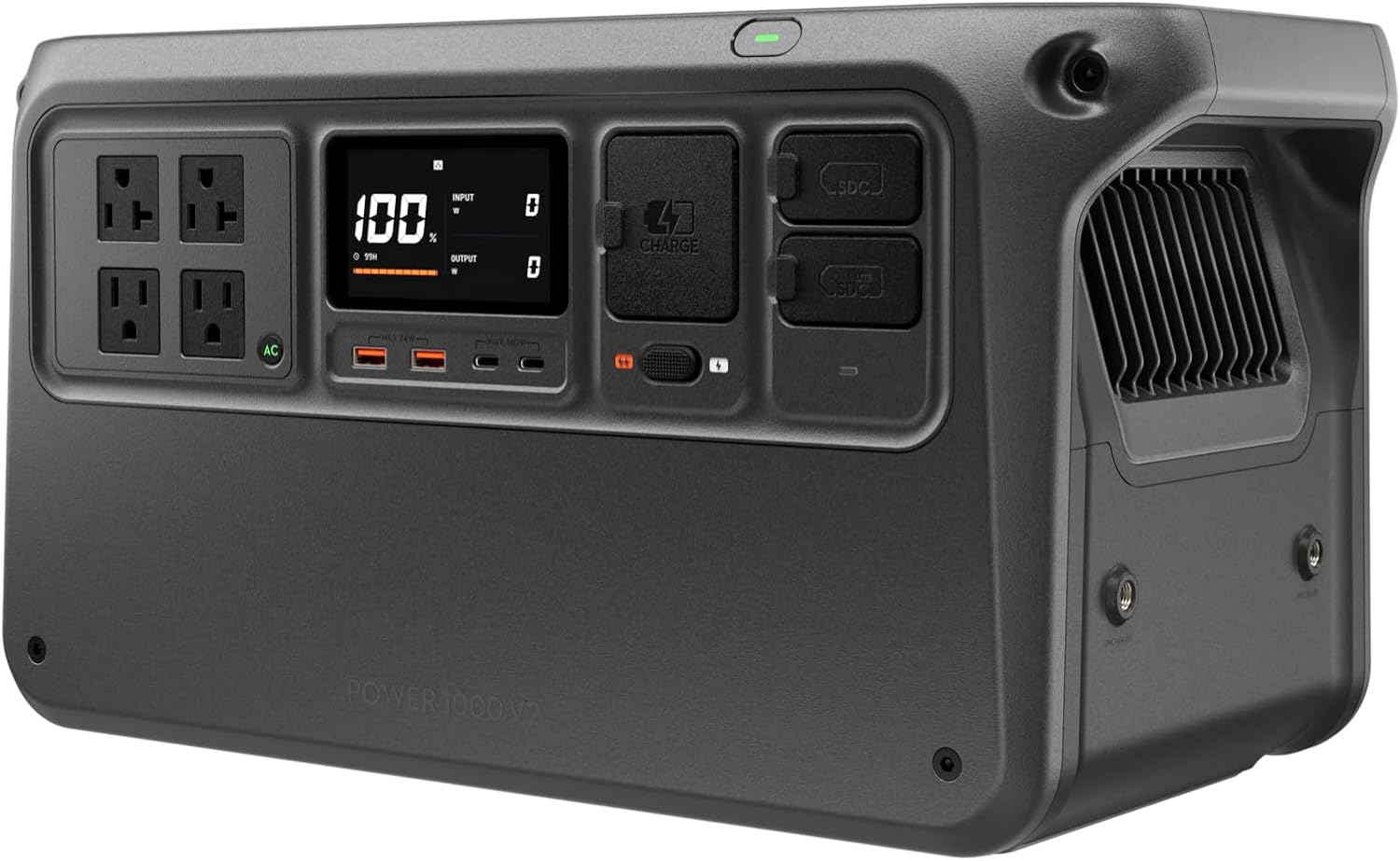
1,024Wh · Two 140W USB-C ports
Run the Mini and a compatible laptop from separate USB-C connections.
Tradeoff: A heavier office load can still outgrow the battery.
Check price on AmazonRead the comparison ↓Alternative full-day pick
Jackery Explorer 1000 v2
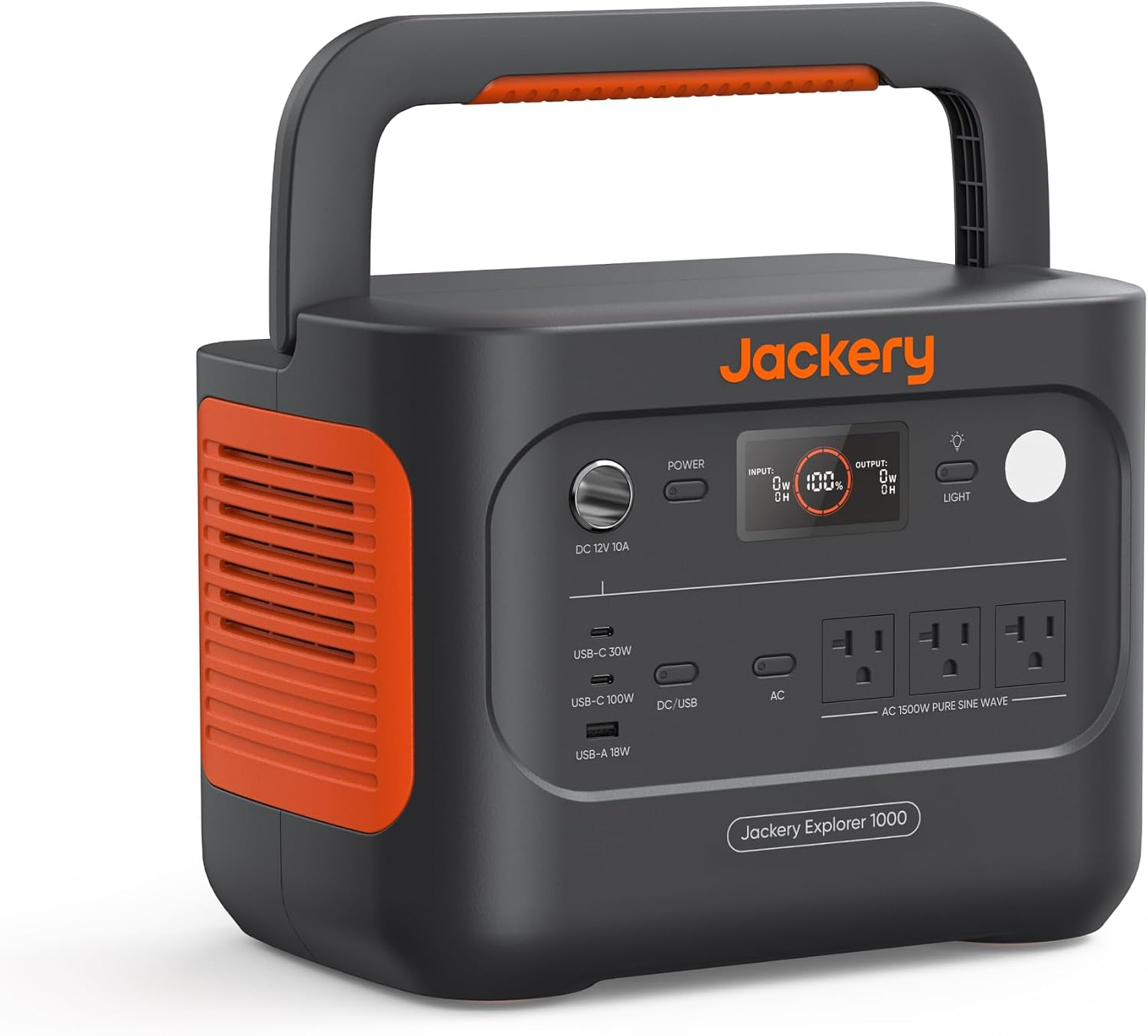
1,070Wh · 100W + 30W USB-C
A good fit for our eight-hour example if your laptop can use 30W or its AC charger.
Tradeoff: The second USB-C port may not keep up with your laptop.
Check price on AmazonRead the comparison ↓Best for shorter sessions
EcoFlow RIVER 2 Max
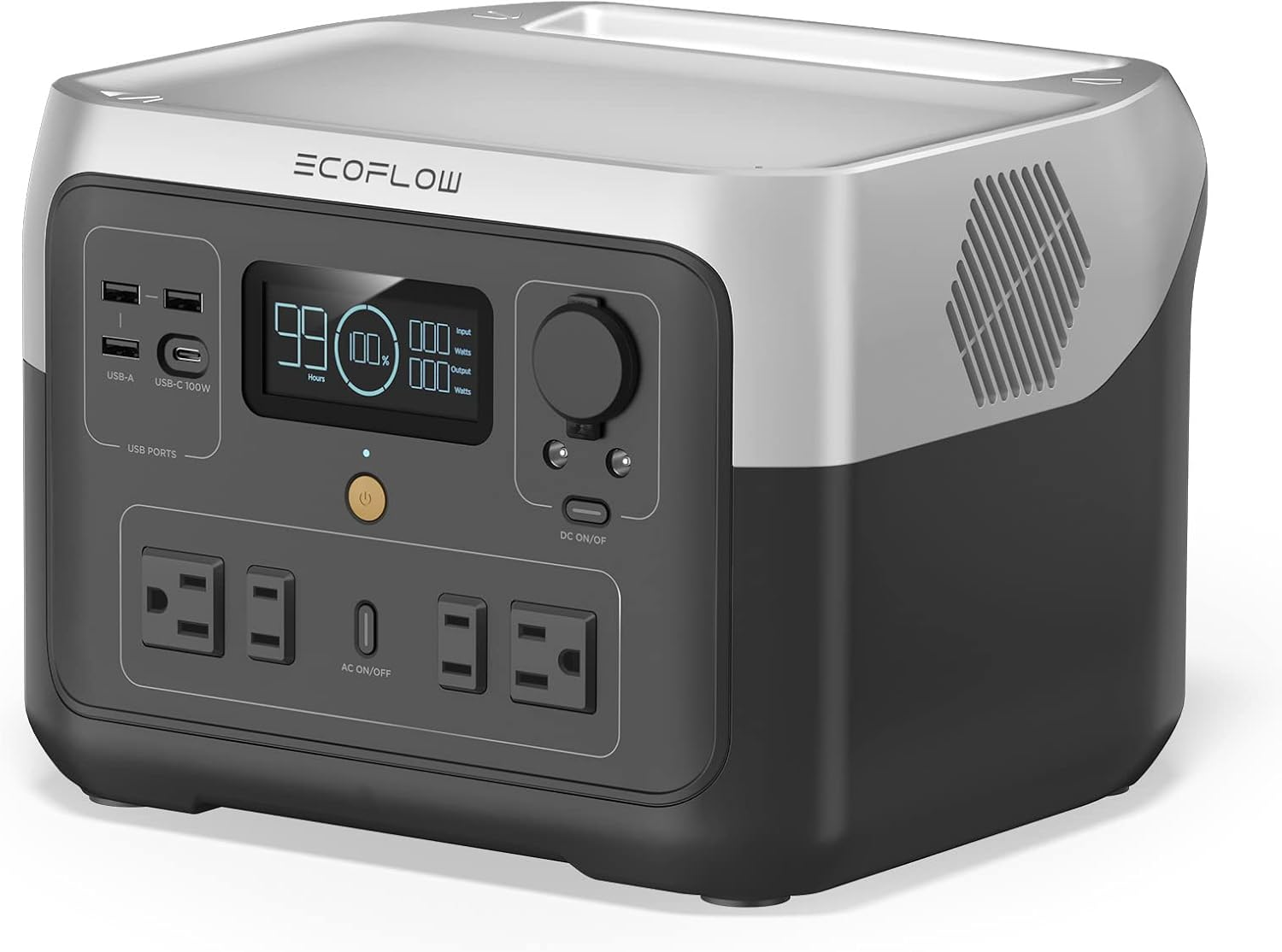
512Wh · One 100W USB-C port
Consider it for a few hours of work with dependable recharging.
Tradeoff: About 5.4 hours at our example load, before keeping a reserve.
Check price on AmazonRead the comparison ↓| Power station | Capacity | USB-C outputs | Estimated runtime at 80W |
|---|---|---|---|
| DJI Power 1000 V2 | 1,024Wh | 140W + 140W | 10.9 hours |
| Jackery Explorer 1000 v2 | 1,070Wh | 100W + 30W | 11.4 hours |
| EcoFlow RIVER 2 Max | 512Wh | One 100W port | 5.4 hours |
Runtime = rated capacity × 0.85 ÷ 80W. These calculated estimates use an illustrative loss allowance and do not keep the separate 20% reserve. They are not tested runtimes. Swipe the table sideways on a small screen.
How much battery does a workday actually use?
Starlink Mini’s published average power consumption is 25–40 watts. Over eight hours, that works out to around 200–320Wh for the Mini alone. That’s manageable. The laptop is what changes the shopping decision.
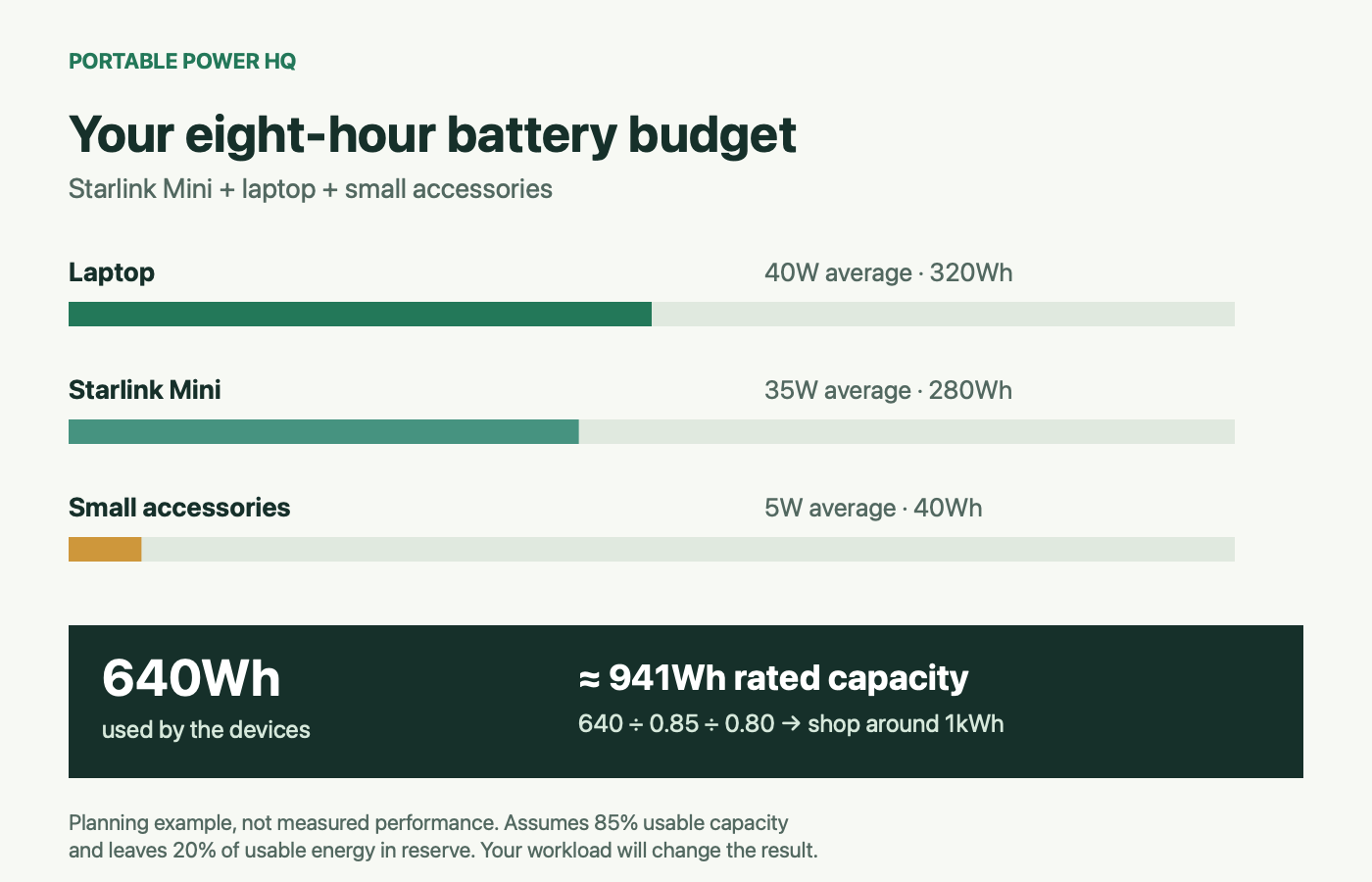
Here’s an example budget. These are planning assumptions, rather than measured consumption for your equipment:
| Device | Assumed average draw | Energy over eight hours |
|---|---|---|
| Starlink Mini | 35W | 280Wh |
| Laptop | 40W | 320Wh |
| Phone and small accessories | 5W averaged across the day | 40Wh |
| Total | 80W | 640Wh |
Your devices won’t necessarily use this much, and the laptop probably won’t draw the same amount all day. Still, the example shows why a 500Wh battery can be a tight fit. We’ve already reached 640Wh before allowing for energy lost while delivering power.
For planning, assume 85% of the advertised battery capacity is available to your devices. That’s an illustrative allowance, not a measured efficiency result for these products. Then leave 20% of that usable energy in reserve. You don’t want your last meeting to depend on squeezing out the final few percent.
640Wh ÷ 0.85 ÷ 0.80 = about 941Wh of rated battery capacity. That puts us right around 1kWh.
If you’re new to adding up device consumption, our beginner’s guide to portable power for camping explains the basics.
Don’t use your laptop charger’s label as your power budget
A laptop with a 100W charger doesn’t necessarily use 100W continuously. Writing a document and answering emails are different jobs from exporting video or running demanding software. Screen brightness and connected accessories affect the load, too.
The most useful number is what your laptop consumes during your normal work. Try measuring a representative session with a meter or another device that can show energy use. Include a video call and whatever applications you normally have open.
Starting with a fully charged laptop can reduce what you need from the power station that day. But if you finish with an empty laptop, you’ve borrowed energy that needs replacing. For a repeatable setup, I’d budget around getting through work without leaving every battery drained.
The USB-C catch: enough battery doesn’t mean the right ports
Although Starlink Mini normally uses much less than 100W, its official USB-C power accessory needs a source rated for 100W USB Power Delivery at 20V/5A. That’s a requirement for the power source, rather than its constant consumption.
In plain English: a USB-C socket that charges your phone may not be suitable for the Mini. And a station with one suitable socket still leaves you figuring out how to charge the laptop.
Check each port’s output rating, the voltage profile, and what remains available when other connections are occupied. A 100W port and a 30W port give you two very different charging options.
You can use your laptop’s regular charger through a suitable AC outlet instead. But if you want fewer charging bricks and a straightforward two-device setup, two capable USB-C ports are useful.
Where do Starlink Mini and the laptop plug in?
Here’s the connection plan I’d use for each station. These USB-C setups assume Starlink’s official Mini USB-C accessory and a laptop that supports the suggested charging connection.
| Power station | Starlink Mini | Laptop | What to check |
|---|---|---|---|
| DJI Power 1000 V2 | One 140W USB-C port | The other 140W USB-C port | 20V/5A for the Mini; compatible laptop and cable |
| Jackery Explorer 1000 v2 | The 100W USB-C port | 30W USB-C for a suitable low-power laptop, or its AC charger | Whether 30W keeps up during your normal work |
| EcoFlow RIVER 2 Max | The single 100W USB-C port | Its AC charger, or the laptop’s own battery during a short session | Enough energy for both devices and a recharge plan |
If you use an AC outlet, keep the inverter on and check any automatic shutdown settings. An AC laptop charger adds conversion losses and inverter overhead, so measure the complete setup rather than assuming every connection method delivers the same runtime.
DJI Power 1000 V2: my pick for a simple mobile office
AT A GLANCE
Two capable USB-C connections for a Mini and compatible laptop.
1,024Wh • Two USB-C outputs up to 140W each
Check current price on Amazon →See the exact model, available bundles, and current price.
The DJI Power 1000 V2 is the one I’d look at first for this particular job. Its 1,024Wh battery puts it in the right size range for our example, and its two USB-C ports can each deliver up to 140W.
The practical benefit is straightforward: Starlink gets one capable connection, and a compatible laptop gets the other. You still need the correct Mini accessory and laptop cable. The laptop also has to support USB-C charging; it won’t automatically charge at 140W just because the port can provide that much.
What I like
- Two high-power USB-C connections suit this setup.
- The battery gives our example workday a useful energy margin.
- A compatible laptop can charge without its AC brick.
What to consider
- The example’s 120W workload exceeds an eight-hour day on this battery.
- Check which cables and accessories come with the exact package.
- Solar and vehicle charging may require additional DJI accessories; include those in the price.
Buy it if: you want a dedicated mobile-office battery and would appreciate plugging both main devices into capable USB-C ports.
Find the DJI Power 1000 V2 on Amazon →
Jackery Explorer 1000 v2: plenty of battery, with one compromise
AT A GLANCE
Full-day capacity for our example, with a 30W second-port tradeoff.
1,070Wh • 100W + 30W USB-C outputs
Check current price on Amazon →See the exact model, available bundles, and current price.
The Jackery Explorer 1000 v2 has enough battery capacity for the workday in our example. The catch is its USB-C ports: one delivers 100W, while the other tops out at 30W.
Give Starlink Mini the stronger port, and your laptop gets the weaker one. That may be fine for light work. But a more demanding laptop could need its regular charger plugged into an AC outlet.
The battery itself is 1,070Wh, and the stronger USB-C port supports the 20V/5A profile required by Starlink’s official accessory. Its capacity advantage over the DJI is small enough that I wouldn’t make the decision on that alone. Price and charging convenience matter more here.
If the Jackery is meaningfully cheaper when you shop, using the laptop’s AC charger might be a perfectly reasonable trade.
What I like
- Enough capacity for our example with room for a reserve.
- A suitable high-power USB-C connection for the Mini.
- AC outlets give you another way to charge the laptop.
What to consider
- The second USB-C port is limited to 30W.
- Your laptop might charge slowly or lose charge under heavier work on that port.
- Check that you’re buying the Explorer 1000 v2; Jackery has several similarly named models.
Buy it if: you want a full-day battery and don’t mind using your laptop’s regular charger when needed.
Find the Jackery Explorer 1000 v2 on Amazon →
EcoFlow RIVER 2 Max: better for a morning than a whole workday
AT A GLANCE
A smaller battery for shorter sessions and reliable recharging.
512Wh • One USB-C output up to 100W
Check current price on Amazon →See the exact model, available bundles, and current price.
The 512Wh RIVER 2 Max makes sense when you’re working in shorter sessions and don’t need the battery to cover everything until dinner. Its single USB-C connection can deliver up to 100W, including 20V/5A. That suits the official Mini accessory, but you’ll need another arrangement for the laptop.
The bigger limitation is capacity. At our example’s 80W combined load, it won’t cover eight hours without additional energy. That doesn’t make it a bad choice. It makes it a choice for a different routine.
What I like
- Worth considering when shorter sessions are the goal.
- A suitable high-power USB-C connection for the Mini.
- Avoids paying for a 1kWh battery when your measured sessions need less energy.
What to consider
- Our eight-hour example needs more energy than it holds.
- There’s only one high-power USB-C connection.
- Confirm the exact capacity on the listing; this comparison uses the 512Wh version.
Buy it if: you work in shorter blocks and have a dependable recharge plan.
Find the 512Wh EcoFlow RIVER 2 Max on Amazon →
How long will each power station run the setup?
Here’s the math across three workloads. These estimates assume 85% of advertised capacity is available to your devices. They don’t retain the separate 20% reserve we used earlier.
| Power station | Light setup: 45W | Example office: 80W | Demanding setup: 120W |
|---|---|---|---|
| DJI Power 1000 V2 | 19.3 hours | 10.9 hours | 7.3 hours |
| Jackery Explorer 1000 v2 | 20.2 hours | 11.4 hours | 7.6 hours |
| EcoFlow RIVER 2 Max, 512Wh | 9.7 hours | 5.4 hours | 3.6 hours |
These are calculated estimates, not tested runtimes. Temperature, battery condition, output method, standby consumption, and your devices’ behavior will change the result.
At 120W, neither of the larger batteries reaches eight hours under these assumptions. Keeping our loss allowance and reserve would call for roughly 1,412Wh of rated capacity. If that looks like your office, I’d shop in the 1.5–2kWh range instead.
Can you make a 500Wh battery work?
Yes, if the workload is light enough. An eight-hour session averaging 45W uses 360Wh. With our illustrative allowance, a 512Wh battery provides around 435Wh of usable energy. That covers the session, but leaves less reserve than I’d want for a setup I depend on every day.
A smaller battery becomes more practical when you use a low-power laptop, turn Starlink off during longer breaks, start with the laptop charged, and recharge reliably between sessions. Keep the fridge and other substantial loads on another power source or add them to the budget.
AC or USB-C: which setup should you use?
The easiest place to start is often the equipment you already have. Using Starlink’s supplied power supply through a suitable AC outlet is convenient. Your laptop’s regular charger can use another outlet.
USB-C can make the setup cleaner and avoid the AC conversion path, provided the devices and cables are compatible. Starlink’s official Mini USB-C cable is designed specifically for the Mini. It isn’t a regular phone cable.
Whichever arrangement you choose, test it before a work trip. Plug in both devices. Take a call. Run your normal software. Make sure everything stays powered, and see how much battery the session actually uses.
That trial is far more useful than discovering a charging problem five minutes before a meeting.
Will a 200W solar panel keep you going?
It can help quite a bit, but I wouldn’t make an important workday depend on perfect sunshine. Imagine a 200W panel getting four peak-sun-equivalent hours, with 70% of theoretical production making it through the overall setup.
200W × 4 hours × 0.70 = 560Wh. Those sunlight and yield figures are assumptions, not a promise of daily output.
Our example office uses 640Wh. Under those conditions, solar replaces most of the workday’s energy, but not all of it. Throw in cloud, shade, or poor placement, and the gap gets larger.
I’d size the battery to get through work first, then use solar to help recharge it. Before buying a panel, check its voltage, current, connectors, and compatibility with your chosen station.
Remember the fridge, and remember tomorrow
A battery that covers the office doesn’t automatically cover the entire van. If it also runs your fridge, fan, lights, and evening entertainment, those loads need their own place in the calculation.
And getting through Monday is only half the problem. You need to replace enough energy to work on Tuesday. Ask where that energy will come from: solar, driving, or a wall outlet every couple of days.
A larger battery buys time, but it won’t fix a daily energy shortage forever. Add up your office and household loads, then choose a charging system that can replace that energy between workdays.
Frequently asked questions
Does Starlink Mini use 100W all the time?
No. Its published average draw is 25–40W. The 100W, 20V/5A requirement applies to the source used with the official Mini USB-C accessory. Don’t confuse the connection requirement with continuous energy use.
Can I run Starlink Mini and charge a laptop at the same time?
Yes, with compatible outputs and enough battery capacity. Check each USB-C connection separately. If the station only has one suitable high-power port, your laptop may need an AC charger or another compatible source.
Is a 1,000Wh battery enough for eight hours of remote work?
It can be. Our example averages 80W and uses 640Wh over eight hours, which fits a 1kWh battery with the stated planning allowance and reserve. Higher loads, additional equipment, or reduced usable capacity can change that answer.
Should I buy the battery or the solar panel first?
Work out the energy budget first. If you need to finish a full day regardless of sunlight, choose enough battery capacity for that day. Then size the recharge system around replacing the energy you use.
Which one would I buy?
For Starlink Mini and a USB-C laptop, I’d start with the DJI Power 1000 V2. Its two powerful USB-C connections suit the job, and the battery sits in the right range for our example.
I’d choose the Jackery Explorer 1000 v2 if its current price made it the better deal and I was happy to use the laptop’s AC charger when needed. I’d choose the smaller EcoFlow for shorter sessions with predictable recharging.
Compare the DJI Power 1000 V2 on Amazon →
Compare the Jackery Explorer 1000 v2 on Amazon →
The right battery should let you finish work without constantly checking the display. Get the capacity and connections right, and that campsite with the great view becomes a much better place to spend a Tuesday.
Sources and calculation notes
Product details were checked against manufacturer documentation for this guide. Estimated runtime is rated capacity × 0.85 ÷ assumed average load. The 85% allowance and 20% reserve are planning assumptions, not measured product performance.


